
ISO 19650 Requirements Management in Scope: Step-by-Step BIM Workflow
This practical guide is designed for teams who already understand ISO 19650 theory and now need to implement it in a live, structured way. The focus is requirements management in Plannerly Scope so project decisions are clear, auditable, and delivery-ready.
Primary workflow: Goals -> requirements -> staged geometry expectations -> milestone control -> verifiable delivery.
Search focus for this article: ISO 19650 requirements management.
Use this with your wider implementation stack: EIR/PIR/AIR/OIR, BEP, MIDP, CDE, and IDS.
What You Will Learn
Start with a clean structure in Scope and avoid importing uncontrolled library noise before your requirements baseline is defined.
Generate and review visual geometry states (Fabrication, Detail, Generic, Symbolic) to align requirement clarity across project stages.
Create, order, and group milestones so requirement expectations are staged and reviewable throughout delivery.
Orientation - Start Here
Before you start this ISO 19650 workflow
Prerequisites
- Access to Plannerly (or create a free account).
- Project workspace access in Projects.
- Basic understanding of ISO 19650 roles and information requirements.
If you need a fast refresher, start with Learn ISO 19650 and ISO 19650 Training.
ISO 19650 map used in this walkthrough
Standards mapping
This walkthrough focuses on Scope configuration, but it links directly to the wider ISO 19650 information management chain:
Source recording and transcript
This article is built from the Plannerly walkthrough recording, extracted step-by-step guide, screenshots, and transcript:
- Recording: Manage Scope Requirements
- Transcript chapter flow: Scope setup -> structural folders -> AI image generation -> milestone grouping -> staged requirement assignment
ISO 19650 Scope Requirements Workflow (6 Modules)
Module 1 - Start in Scope and prepare a clean requirements baseline Scope Baseline
What you will do
- Open Scope and initialize a project context.
- Start from a clean workspace by closing the library panel.
- Set the foundation for controlled requirement authoring.
Step 1.1 - Open the Scope module to manage project requirements
Transcript signal: when working in a project, requirements are managed directly in Scope. This is your controlled source of truth for requirement structure.
ISO 19650 intent: establish a clear environment before defining information requirements.
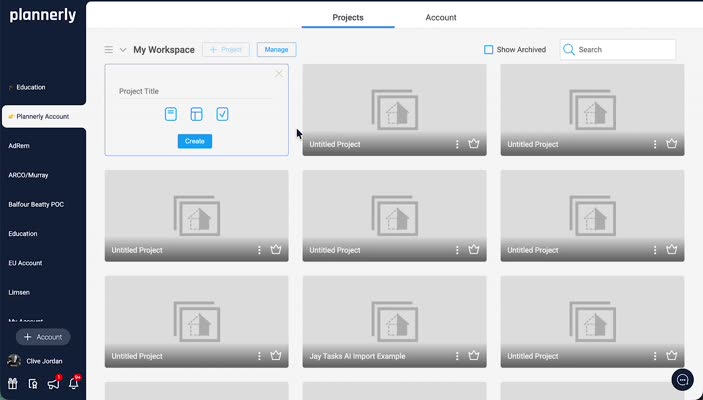
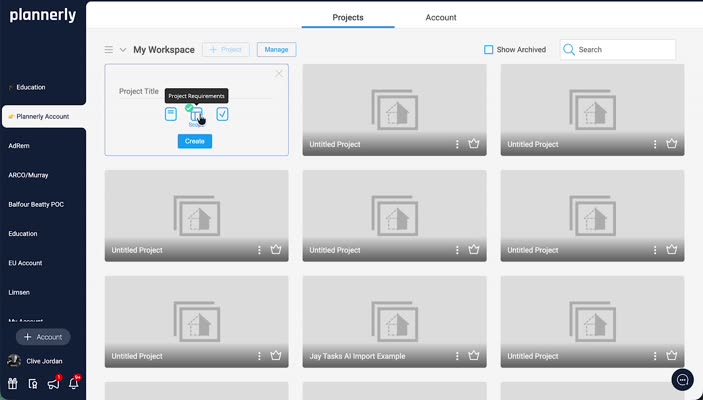
Step 1.2 - Create a new project and enter Scope directly
Creating a project from Scope takes you directly into requirement setup, reducing friction between project initialization and requirement definition.
Use Projects as your operational start point.
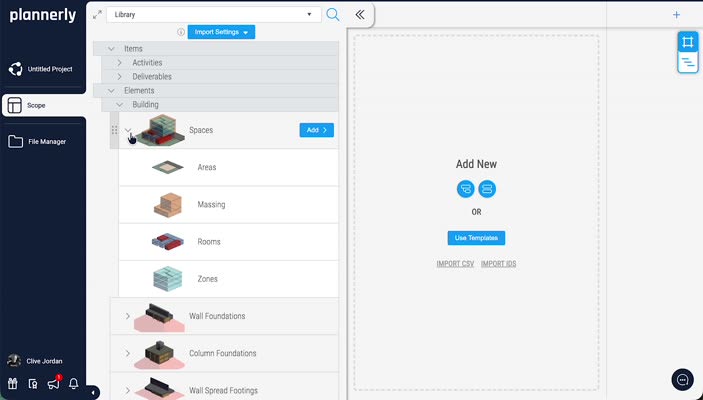
Step 1.3 - Identify and close the Library panel to work from scratch
Transcript signal: the library can import activities, systems, and elements, but this workflow intentionally starts from scratch for tighter governance.
Best practice: define only what this delivery stage needs, then expand deliberately.
Module 2 - Build the structural requirement hierarchy Hierarchy Scope
What you will do
- Create top-level and system-level folders.
- Add a specific task row for footbridge structure requirements.
- Prepare the row that will hold geometry expectation content.
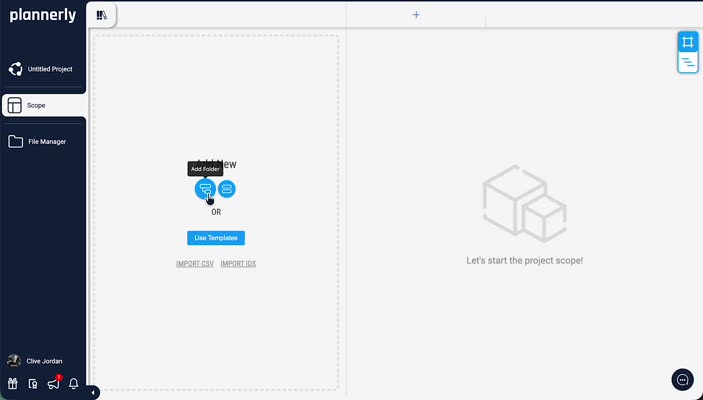
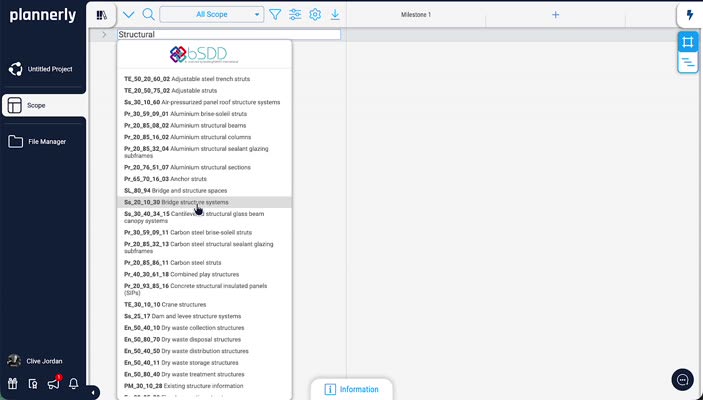
Step 2.1 - Add a folder named Structural
Start with a clear parent folder so requirements are grouped by discipline/system boundary.
This improves traceability when requirements are reviewed against milestone outputs.
Step 2.2 - Add or rename folder to Bridge Structure Systems
Define a system container for bridge structure work so each downstream task maps to a meaningful system scope.
Requirements are easier to validate when grouped by system responsibility.
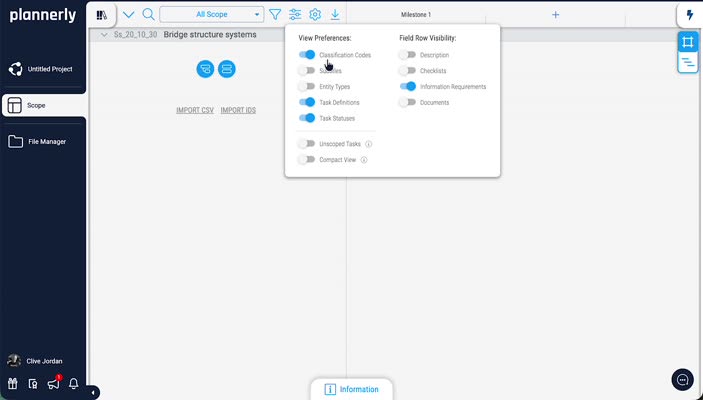
Step 2.3 - Create a new task row inside Bridge Structure Systems
Add the task row that will hold stage-based requirement and geometry expectation definitions.
Think of each row as a controllable requirement object, not just a label.
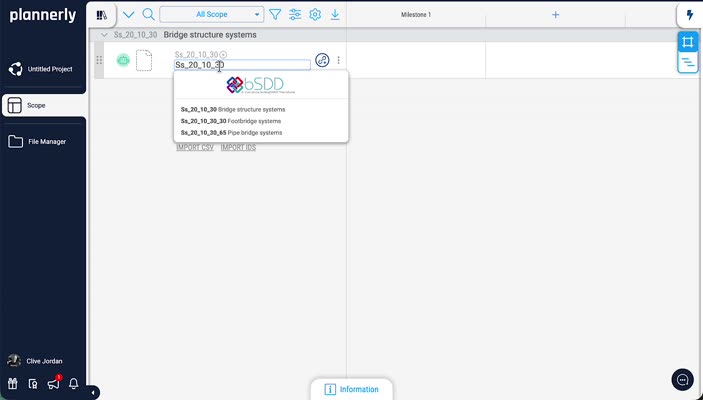
Step 2.4 - Name the task row Footbridge Structure Systems
Give the row a specific, operational name to remove ambiguity during review and handover.
Naming quality directly affects model checking, assignment clarity, and export quality.
Module 3 - Generate and review AI geometry expectations AI Geometry Stages
What you will do
- Generate a visual image set from the requirement row.
- Review generated alternatives in Edit mode.
- Align geometry intent across Fabrication, Detail, Generic, and Symbolic levels.
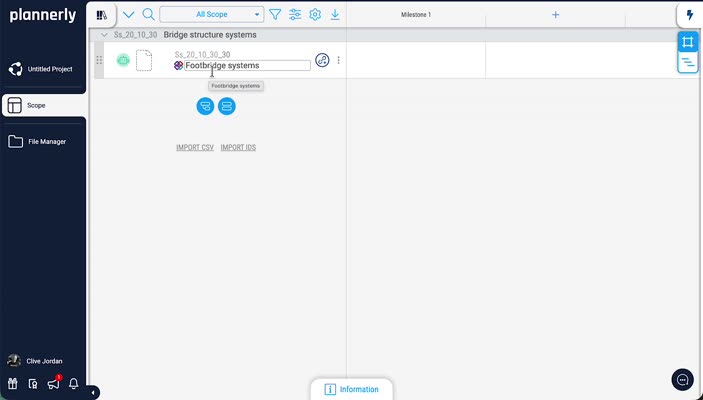
Step 3.1 - Generate image set for the selected row with AI
Transcript signal: click Generate image for this row with AI to produce a staged image set for Footbridge Structure Systems.
This helps teams align early on what model definition should look like at each stage.
Step 3.2 - Open row menu and click Edit to review image generations
Open the row options (three dots), then select Edit to inspect generated geometry variants before confirming expectations.
Review before acceptance avoids weak requirement statements later in BEP/MIDP planning.
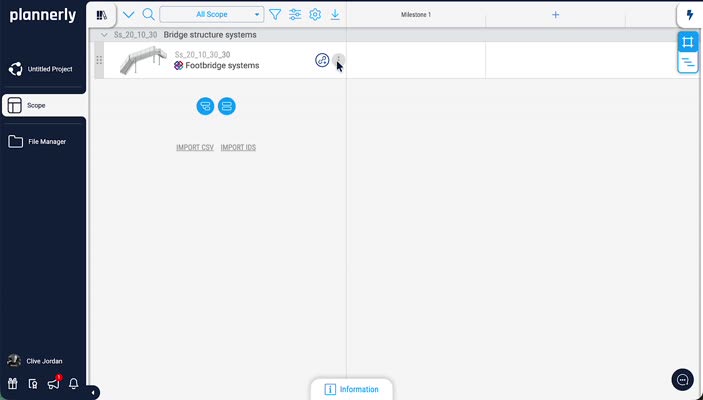
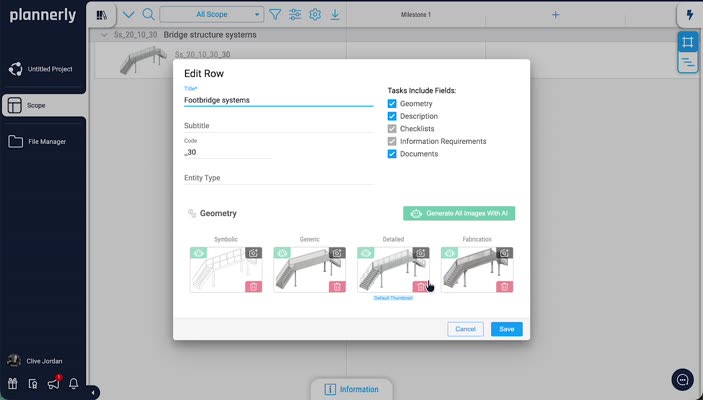
Step 3.3 - Review Fabrication, Detail, Generic, and Symbolic geometry states
Transcript signal: Fabrication shows fully component-level detail, Detail supports coordination, Generic gives lower-resolution representation, and Symbolic indicates intent without full definition.
Use these states to communicate level expectations to delivery teams and reviewers.
Module 4 - Create milestones and staged requirement checkpoints Milestones Planning
What you will do
- Open milestone controls and edit timeline setup.
- Create milestone entries with dates and descriptions.
- Save and prepare milestones for sequencing and grouping.
Step 4.1 - Open Milestones to define staged requirements
Transcript signal: this project uses multiple milestones to stage requirement expectations over time.
Milestones anchor the "when" part of information delivery.
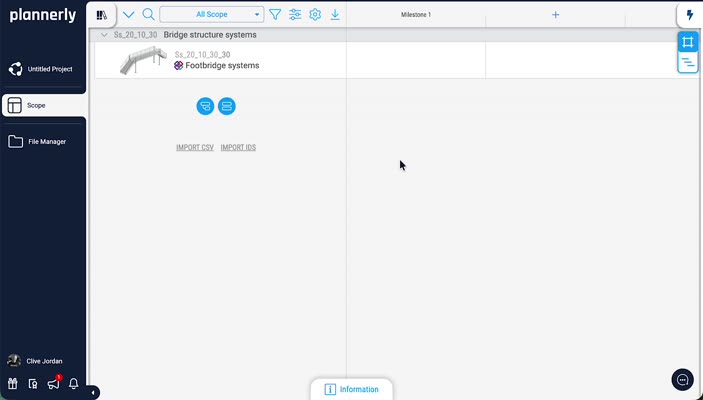
Step 4.2 - Open the Edit Milestones dialog
Click inside the milestone area to launch the Edit Milestones dialog where categories and subcategories can be controlled.
This is where stage governance becomes explicit and reviewable.
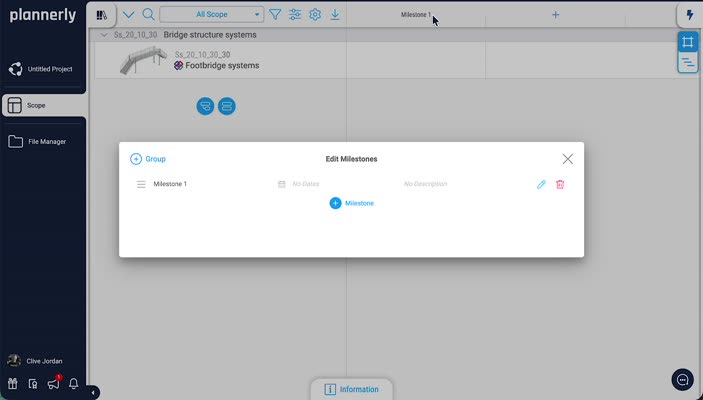
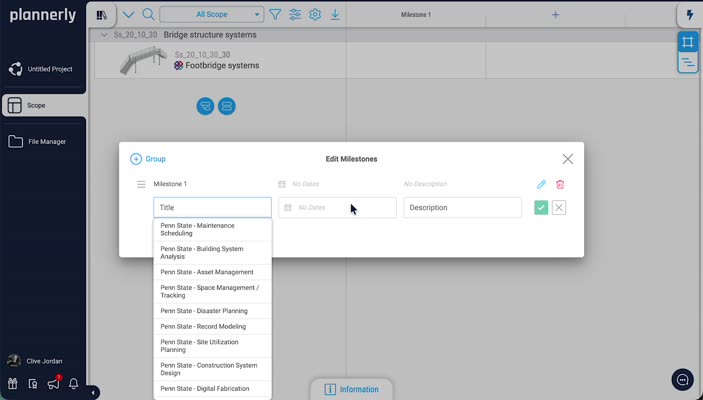
Step 4.3 - Add a new milestone (example: Structural Analysis)
Transcript signal: add milestone entries tied to real project needs, such as Structural Analysis.
Use milestone names that make acceptance criteria obvious to all parties.
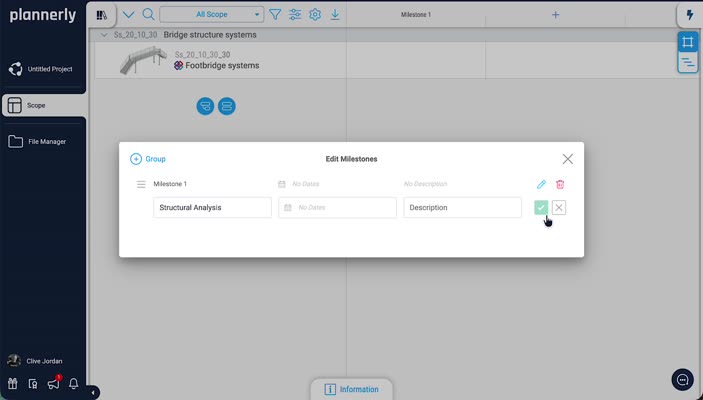
Step 4.4 - Add date/description and save with check mark
Add milestone date or date range plus description, then confirm with the check mark to save.
Dates and descriptions make review windows and decision points explicit.
Module 5 - Reorder and group milestones for staged control Grouping Sequencing
What you will do
- Sequence milestones in delivery order.
- Create grouped milestone sets for logical work packages.
- Organize milestones so stage responsibilities are visible.
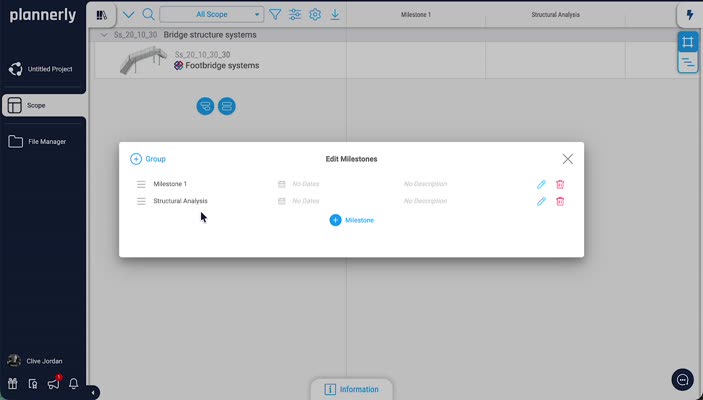
Step 5.1 - Reorder milestones by drag and drop
Transcript signal: milestones can be dragged into project-specific order. Sequence should follow delivery logic, not just naming order.
Order control reduces planning ambiguity later in BEP/MIDP and handover sequencing.
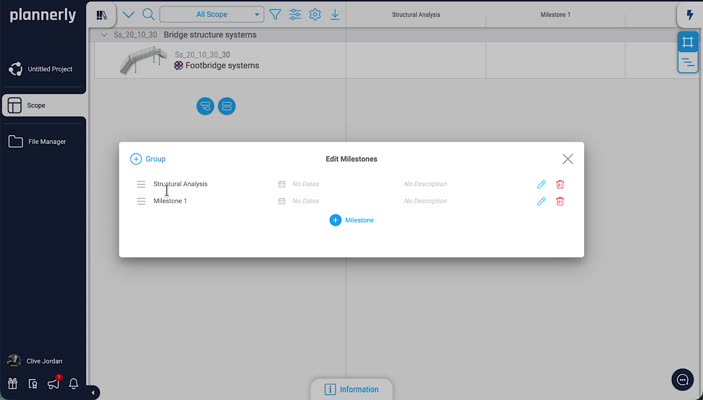
Step 5.2 - Create milestone groups with + Group
Use + Group to create higher-level stage containers and avoid a flat, hard-to-read milestone list.
Grouping helps teams understand requirement bundles by phase or package.
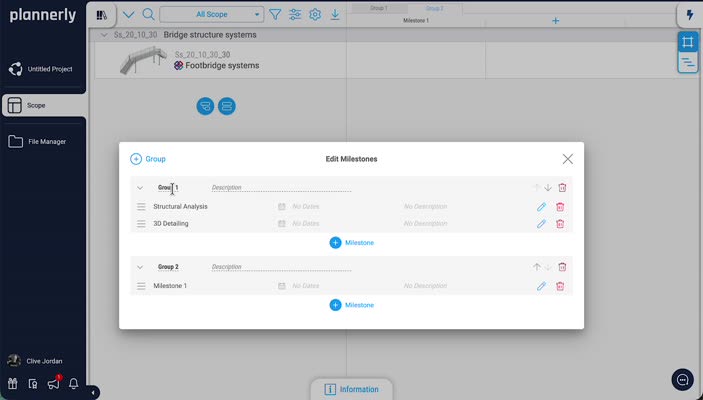
Step 5.3 - Drag milestones into groups (for example Structural Analysis and 3D Detailing)
Transcript signal: drag milestones to place them into group containers that reflect how your team executes and reviews work.
This creates a practical control structure for stage-based approvals.
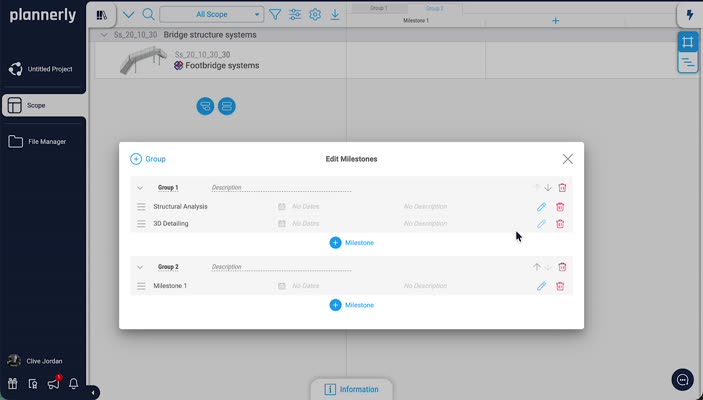
Step 5.4 - Add additional grouped milestones and confirm grouped background layout
Add and arrange additional items (for example Operations Planning) so grouped milestones show clearly in the background timeline.
Visual grouping supports faster review meetings and clearer stakeholder communication.
Module 6 - Apply stage-based requirements and prepare for verification ISO 19650 Verification Delivery
What you will do
- Use milestone/group structure to stage requirement and geometry expectations.
- Connect Scope structure to BEP, MIDP, and verification practice.
- Prepare a robust basis for formal acceptance workflows.
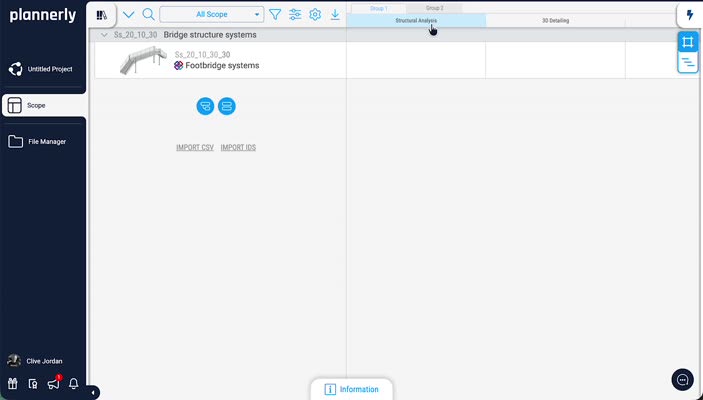
Step 6.1 - Use grouped milestones to represent requirement and geometry expectations by stage
Transcript signal: groups and milestones are used to show different requirements and geometry expectations at different project stages.
This is the practical bridge between requirement intent and deliverable control.
Step 6.2 - Integrate this Scope structure with your ISO 19650 delivery controls
How this structure connects to ISO 19650 delivery
- EIR/PIR/AIR/OIR: Scope rows and milestone logic clarify what information is needed, by whom, and when.
- BEP: converts requirement structure into an agreed method for producing, checking, sharing, and accepting information.
- MIDP: sequences deliverables and dependencies against milestone checkpoints.
- Verification: checks if delivered data matches agreed requirement and geometry intent.
- CDE: controls the information state path and handover readiness.
Continue with: BEP guide, EIR/PIR/BEP implementation , and ISO 19650 certification pathway .
Assessment
Reflection + Bonus Credit
Self-check prompts
- Where did staged geometry expectations remove ambiguity for your team?
- Which milestone group best improved cross-discipline coordination?
- What requirement statement would you rewrite after running this workflow once?
Bonus: compare your setup against ISO 19650 compliance checkpoints and note any governance gaps.
Evaluation Criteria - Grading Guide
Completion criteria
- All hierarchy elements are logically named and traceable.
- AI geometry states are reviewed and used to communicate expectation maturity.
- Milestones are created, ordered, grouped, and justified against delivery logic.
- Requirement-to-stage rationale is documented and review-ready.
- Integration path to BEP/MIDP/verification is clear and defensible.
For deeper practical training, continue with ISO 19650 training and registration options .