
Validate Property Sets / Information Requirement Groups
When validating models in Plannerly, Information Requirement (IR) groups play an important role in how properties are checked and accepted during verification.
In addition to defining Information Requirements and assigning them to project elements, Plannerly also allows you to organize properties into groups or property sets. These groups can be:
- User-defined groups
- Standardized groups based on schemas such as IFC Property Sets
During validation, Plannerly checks not only whether required properties exist and contain the correct values, but also whether those properties are placed in the correct group or property set.
Why Property Groups Matter
Plannerly validates three things during model checking:
- The required property exists
- The property value meets the Information Requirement (including Unit of Measurement)
- The property belongs to the correct property group or set
If a property is assigned to the wrong group, Plannerly rejects it even if the value itself is correct.
Example: Property Rejected Due to Incorrect Grouping
In the example below, the Acoustic Rating property for elevator doors is reported as missing during validation.
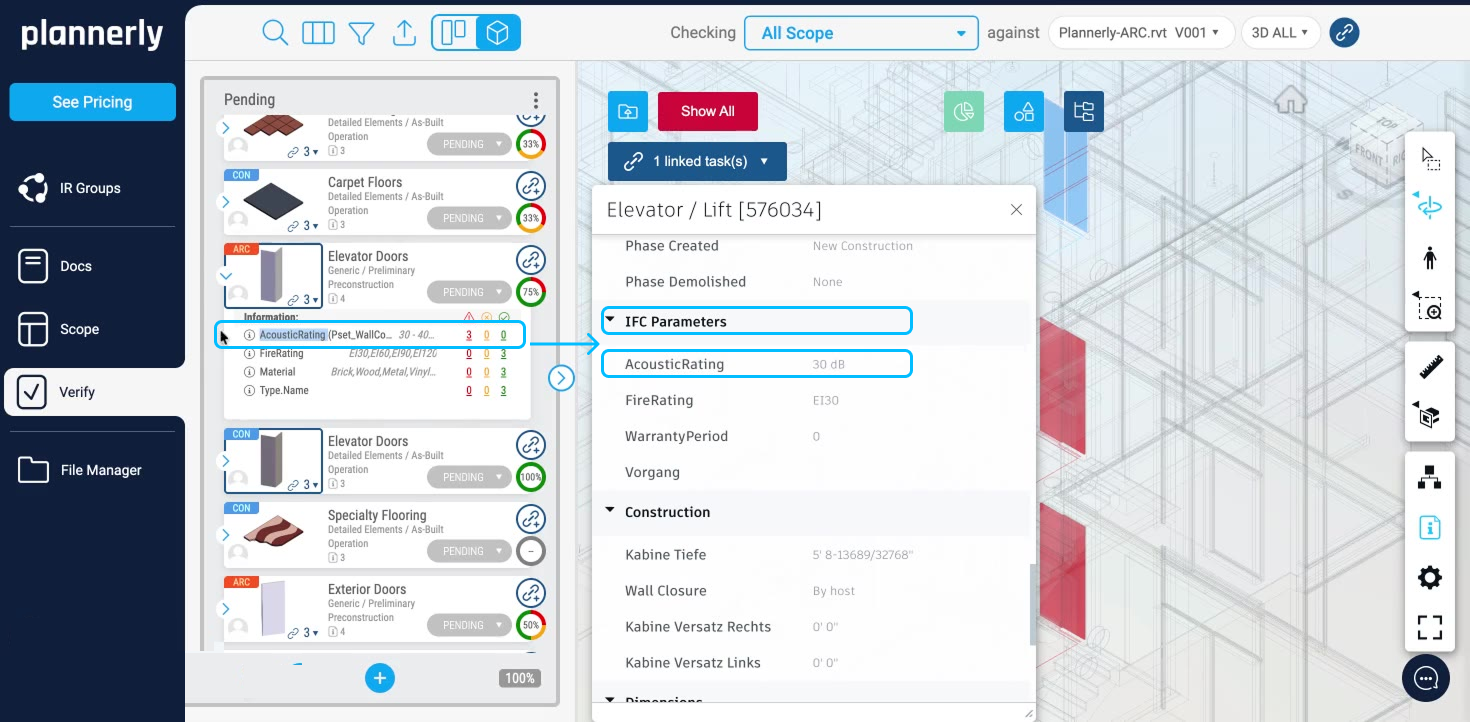
However, the property actually exists in the model.
The issue is that the property has been grouped under the IFC Parameters group instead of the expected property set defined in the Information Requirements.
Because the property is located in the wrong group:
- Plannerly does not accept it as valid
- The property is flagged as missing (the validation result appears in red)
This behavior ensures that models follow the required data structure and naming conventions defined by the project or selected schema.
Using IFC-Based Property Groups
If your Plannerly project is linked to data dictionaries from buildingSMART, Plannerly can use IFC schemas and property sets as part of the grouping workflow.
This allows you to:
- Organize properties according to IFC standards
- Filter and search properties by IFC property sets
- Validate whether properties are assigned to the correct IFC groups
Example Filters
You can filter properties by group name.
For example:
- Searching for groups containing Wall will return wall-related property sets and properties
- Searching for a specific property will show which property sets that property belongs to within the selected schema
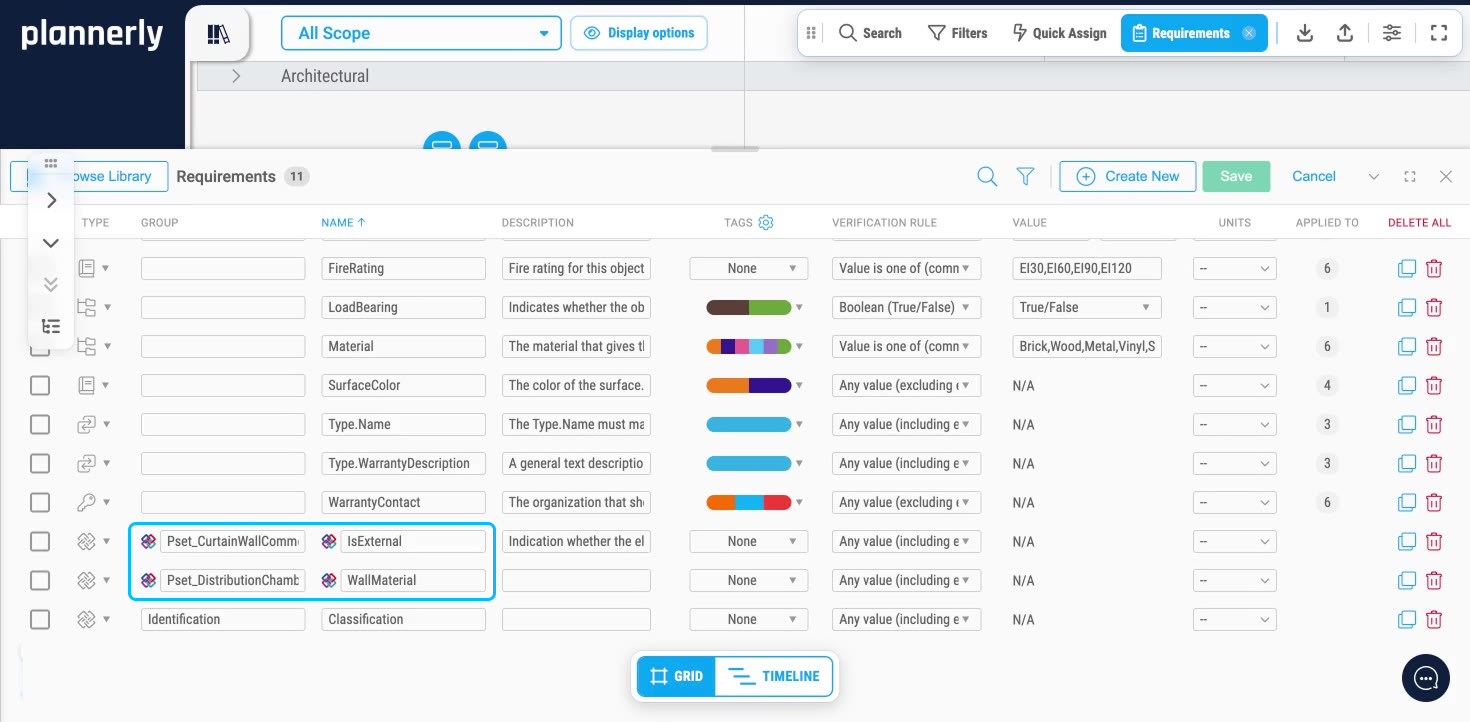
This makes it easier to understand how properties are structured and where they should be assigned.
Using User-Defined Groups
Property groups do not need to follow IFC standards.
You can also create custom, user-defined groups to organize Information Requirements in a way that supports your project workflow.
Custom groups can help teams:
- Organize project-specific requirements
- Simplify property management
- Improve consistency across disciplines
Best Practices
To avoid validation issues:
- Ensure required properties are assigned to the correct property sets
- Follow IFC schema conventions when applicable
- Use consistent naming and grouping structures
- Review validation results carefully when properties appear as missing
Even when a property exists, incorrect grouping can cause validation failures.